Bookings, check-ins and sign-ups — taken by a kiosk you can talk to.
A wide screen on your counter that takes the whole job by voice or touch — or hands it to the customer's phone if they'd rather — and puts it in front of your staff the moment it happens.
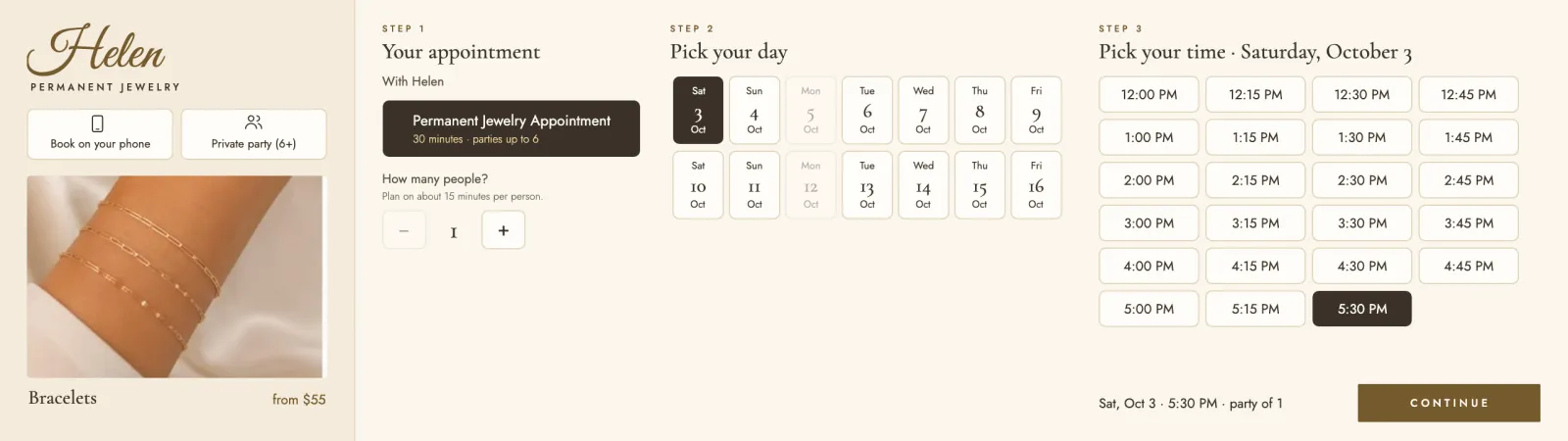
Helen Permanent Jewelry: appointments booked straight into the artist's own calendar.
See one running at your counter.
The demo unit runs on a battery. I'll bring one to you if you're local; if you're farther away, we start with a call. Either way, I set it up with the experience closest to your business and we talk through what yours should do.
Farther away? Book a phone or video meeting and we'll go from there.
What it gets done.
Each kiosk is built around what your business needs. Here's what they can take care of for you.
Reservations & waitlists
Tables booked into the times you actually have open. A waitlist with a live wait estimate the guest keeps on their phone until the table's ready.
Check-ins
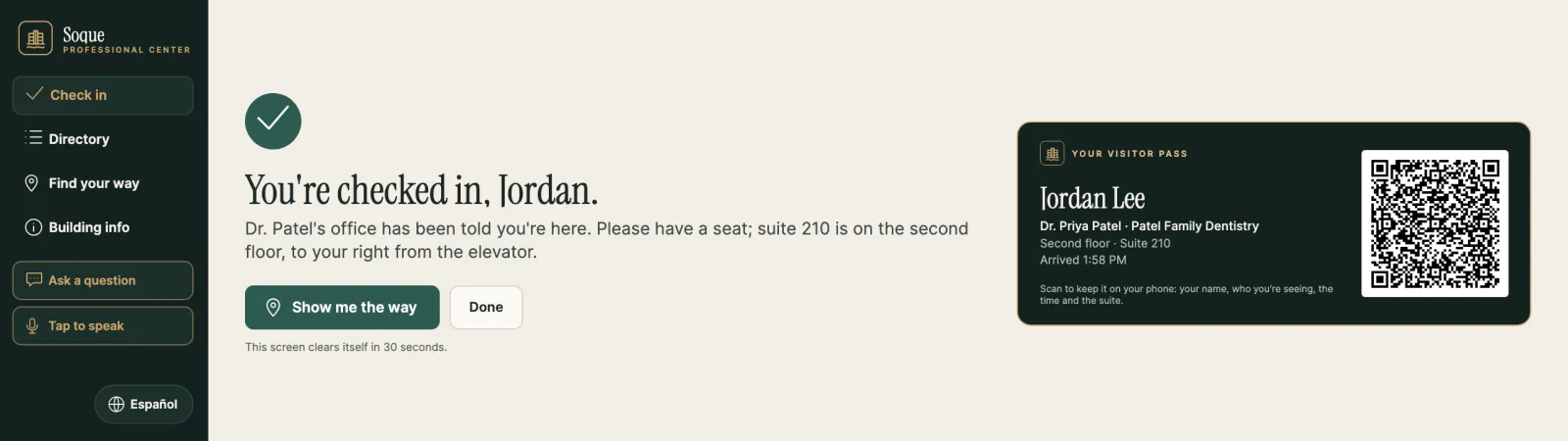
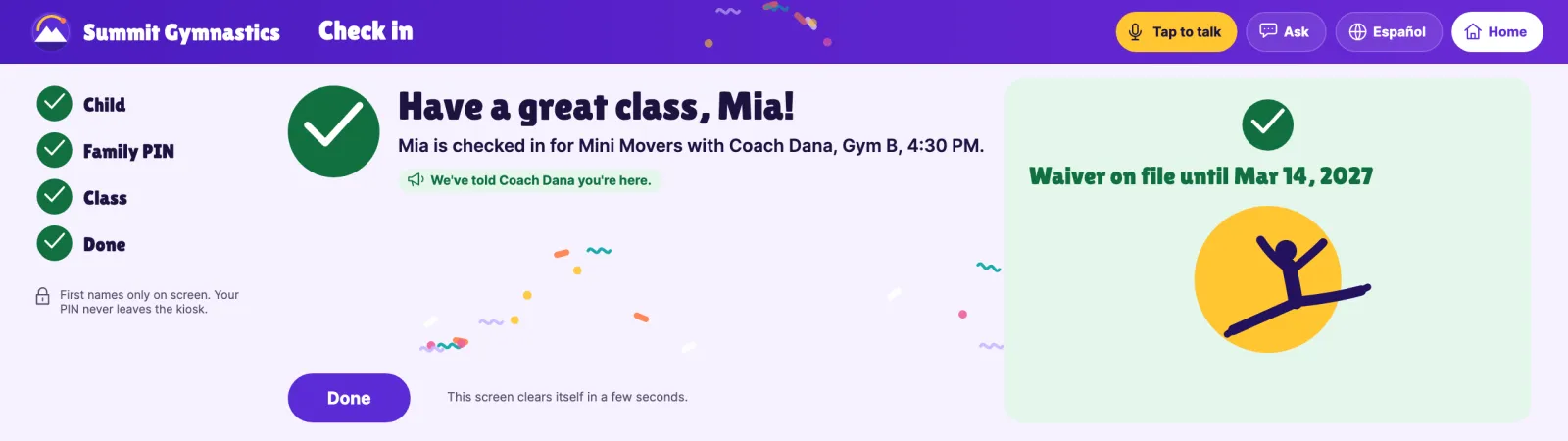
Patients, office visitors and kids checked in by voice or touch. The front desk, tenant or coach is told the moment they arrive.
Sign-ups & leads
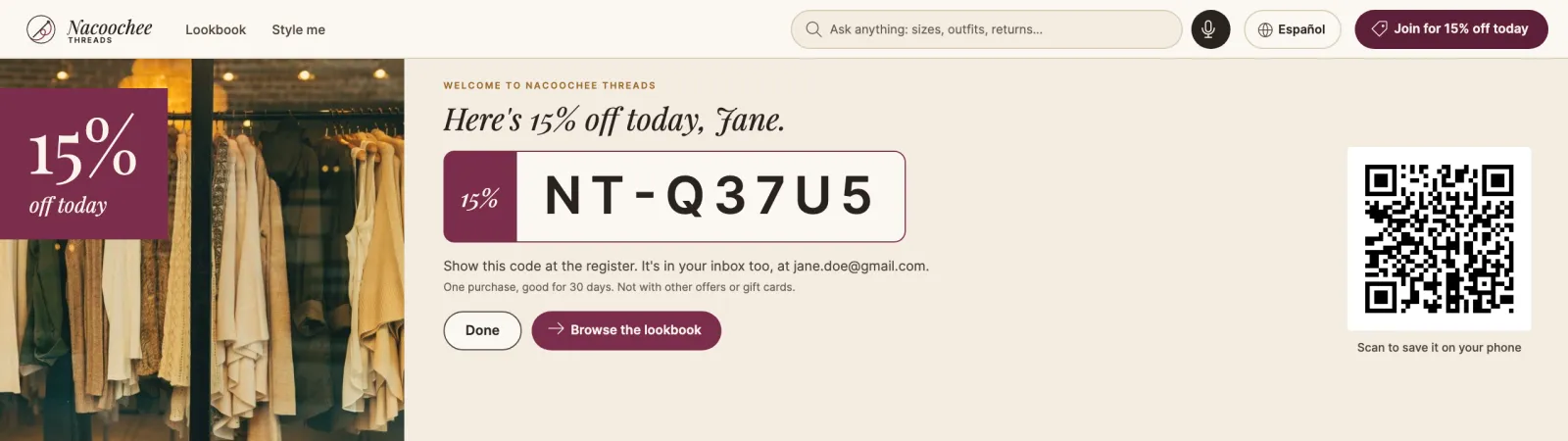
Mailing-list sign-ups with a unique discount code, lesson requests sent straight to the pro, private-party inquiries to the owner.
Answers, all day
Hours, prices, directions, "do you take Aetna?" — answered from your own information only, in English or Spanish, by voice or keyboard.
Wayfinding
Directory by floor, then a drawn floor plan with an animated route to the right door — restrooms included — and the directions sent to the phone.
Product help
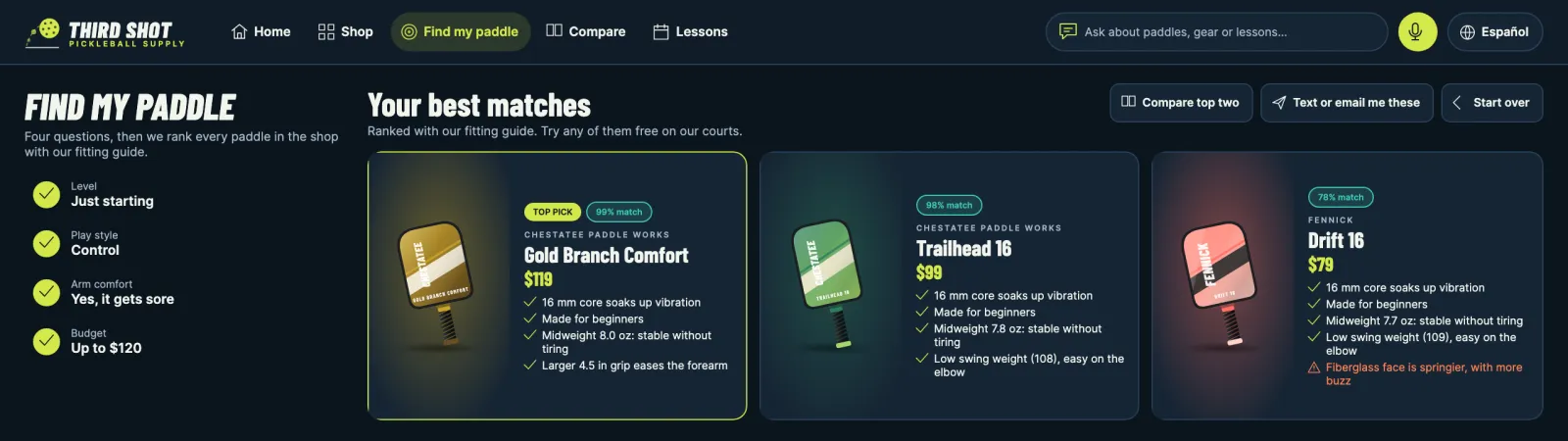
Shop the wall with filters, compare two items spec by spec, or answer four questions and get ranked picks from what's in stock — with the reason for each.
Requests & inquiries
Lessons and clinics, private parties, call-backs — taken on the kiosk and routed to the right person, with every detail in the record.
Connected to what you run
Appointments booked straight into your own calendar; products pulled live from your online store. It keeps working if the internet drops.
Nine examples. Yours is built from scratch for your business.
Every kiosk is custom-built for the business it serves — its jobs, its menu or catalog, its look. These nine show the range; pick the one closest to yours to see what's possible.
Hickory Creek Smokehouse
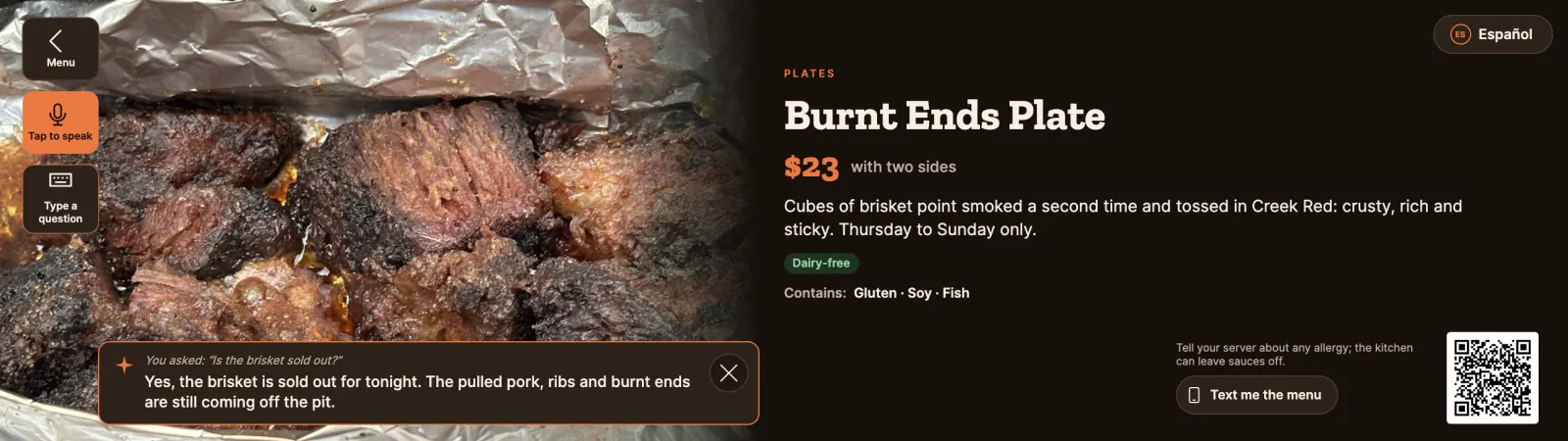
Reservations and a live waitlist for a busy dinner service, with the menu and the sold-out board in the same place.
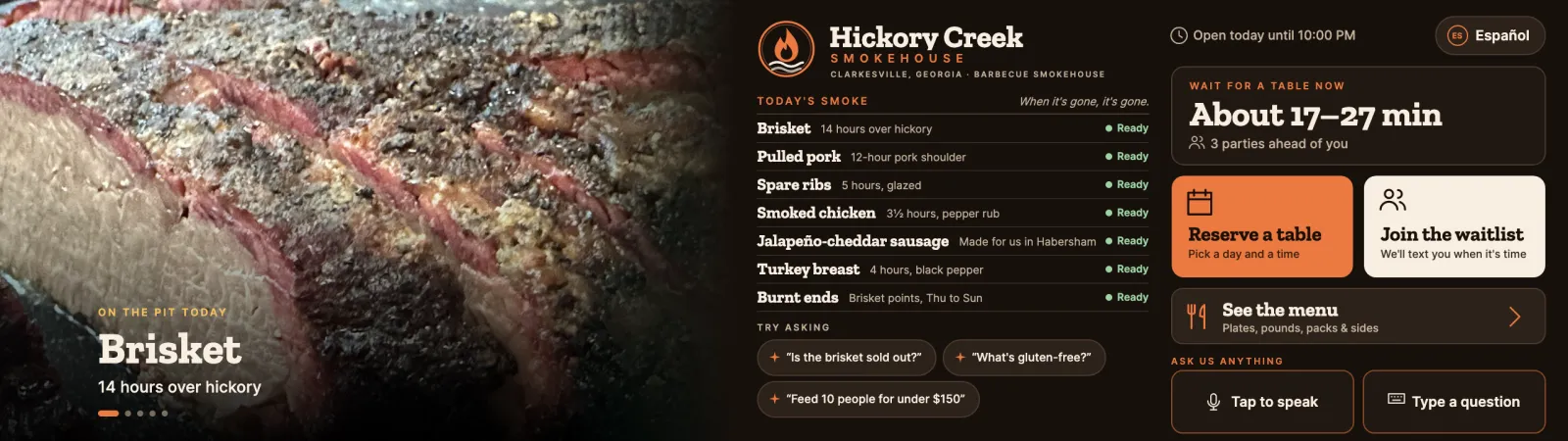
Today's smoke, the live wait estimate, and the items the host marked sold out from a phone
A kiosk you can simply ask.
Every kiosk has a tap-to-speak button and a typed question box. Ask in plain words and it answers on screen, then acts: opens the right card, filters the list, fills in the form, starts the check-in.
Answers from your information only
It sees your menu, directory, schedule, policies and catalog — and nothing else. It can't invent a price or a time, and says when it doesn't know.
Voice fills in forms. It never submits them.
"Check in Mia and Leo" fills the fields; a person taps confirm. A PIN or a consent box is always entered by hand.
Bilingual, hands-free
Ask in Spanish and the kiosk answers in Spanish and switches its screens. Every screen and phone page is fully translated, not just the buttons.
Speak into any field
"jane dot doe at gmail dot com" lands as jane.doe@gmail.com. It knows your local names and words, so "Sautee Nacoochee" comes out right. A no-microphone mode works by touch alone.
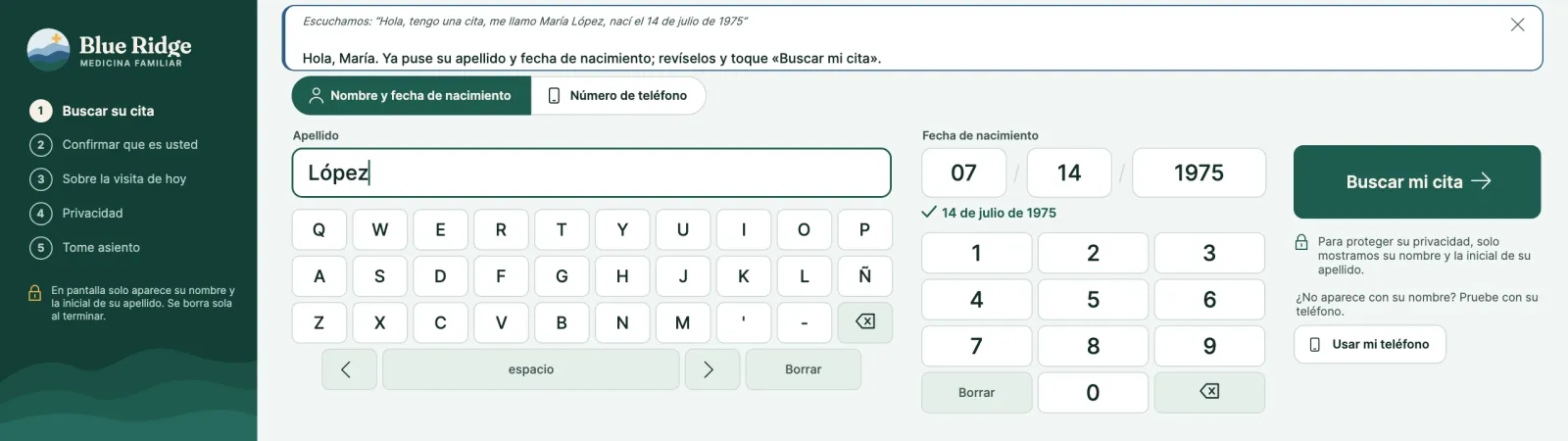
Spoken Spanish switches the clinic kiosk and fills in the search.
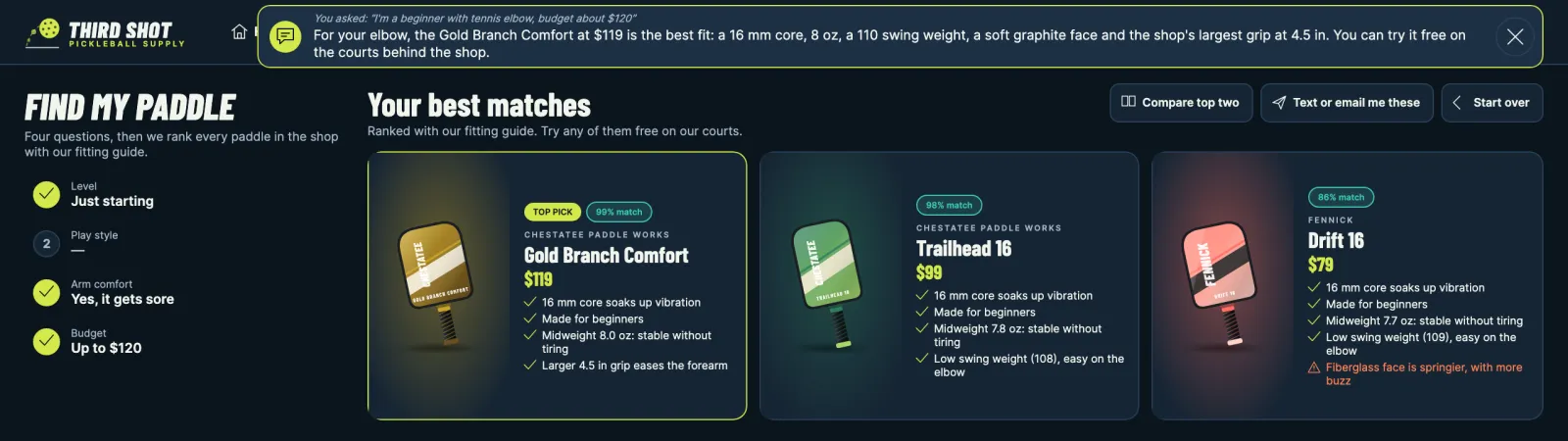
"Beginner with tennis elbow, about $120" — ranked picks from stock, with the reason for each.
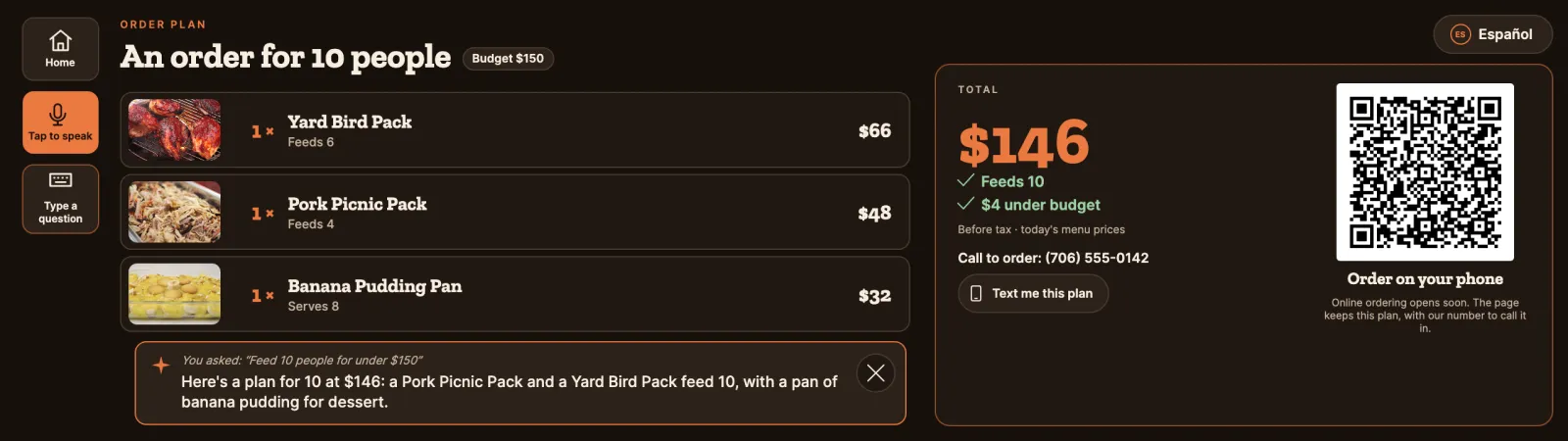
"Feed 10 people for under $150" becomes an order plan from the actual menu, every price checked by the kiosk.
Finish on the kiosk, or take it to your phone.
Everything can be completed right on the screen. When a customer would rather continue on their own phone, a QR code picks up right where the kiosk left off, on a page in your branding, in English or Spanish — no app to install, and the kiosk never keeps the number.
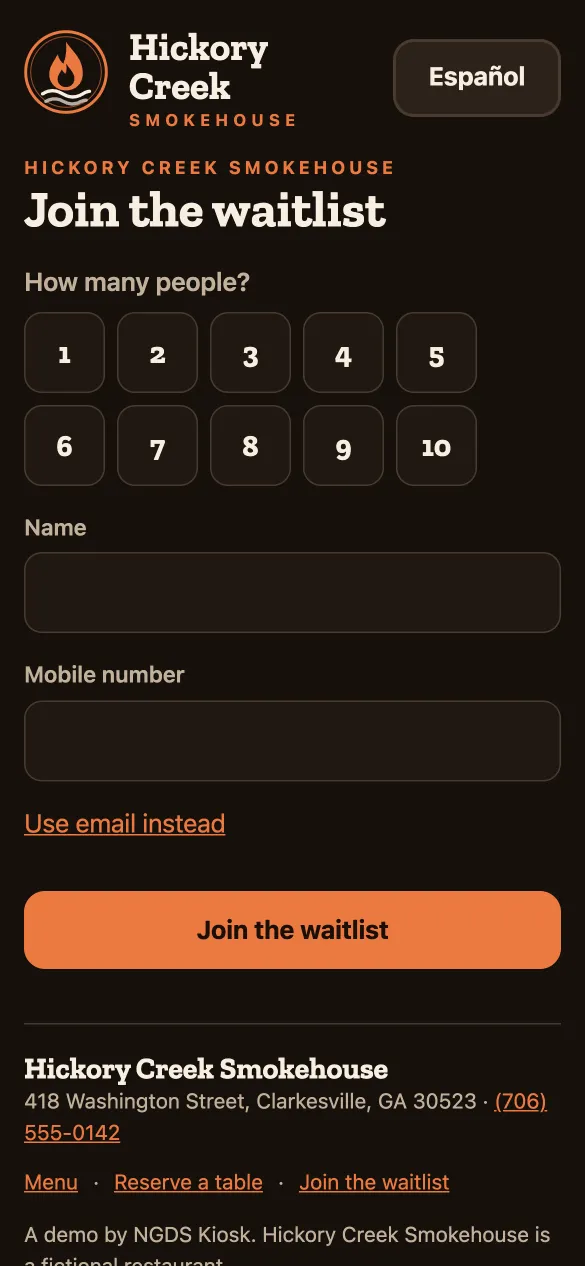
Waitlist — your place, live
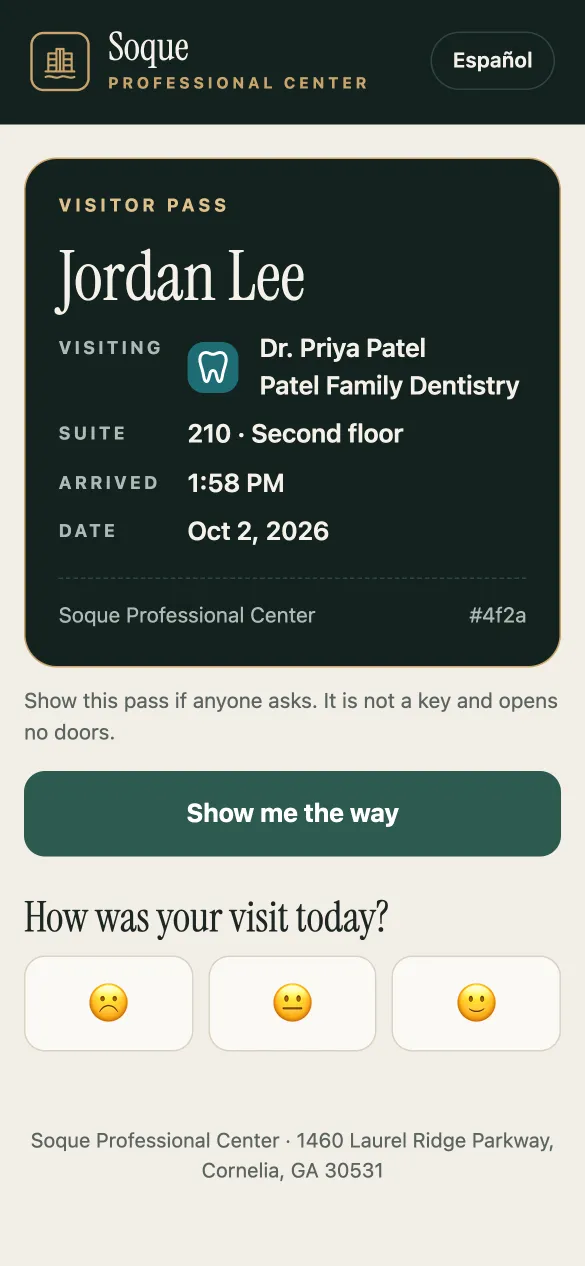
Visitor pass
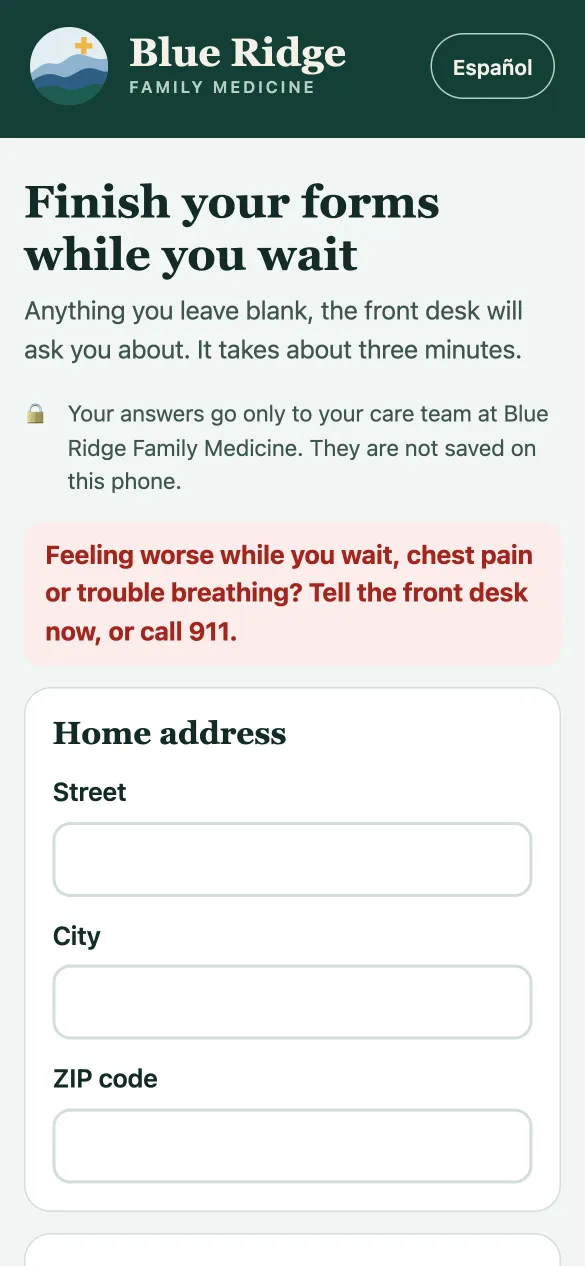
Intake forms while you wait
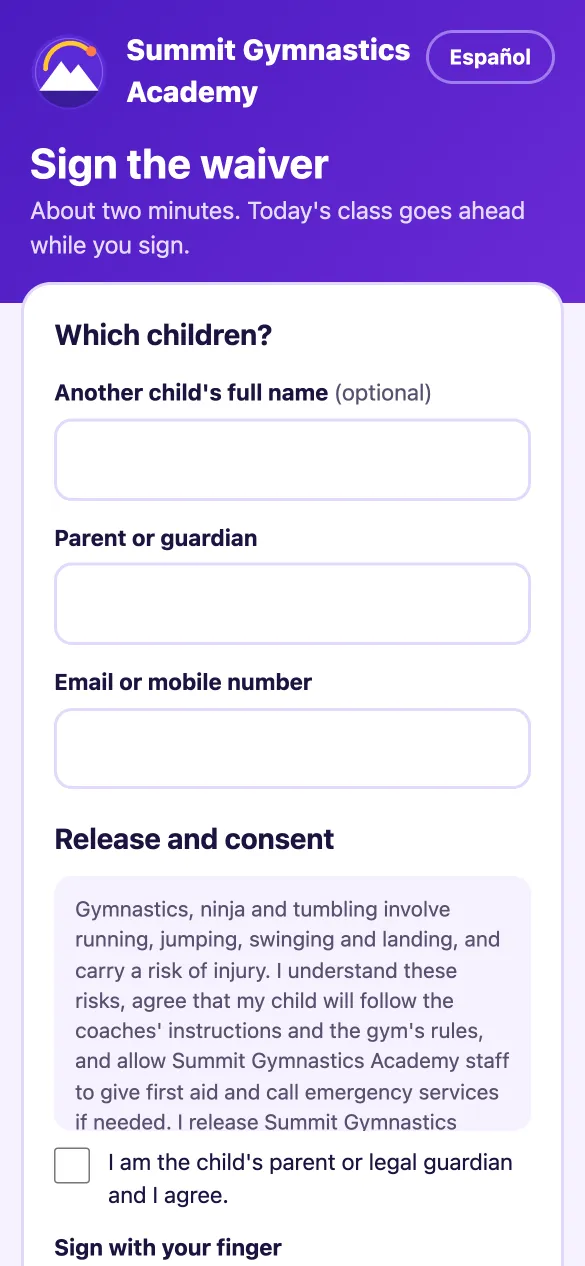
Waiver signed on the phone
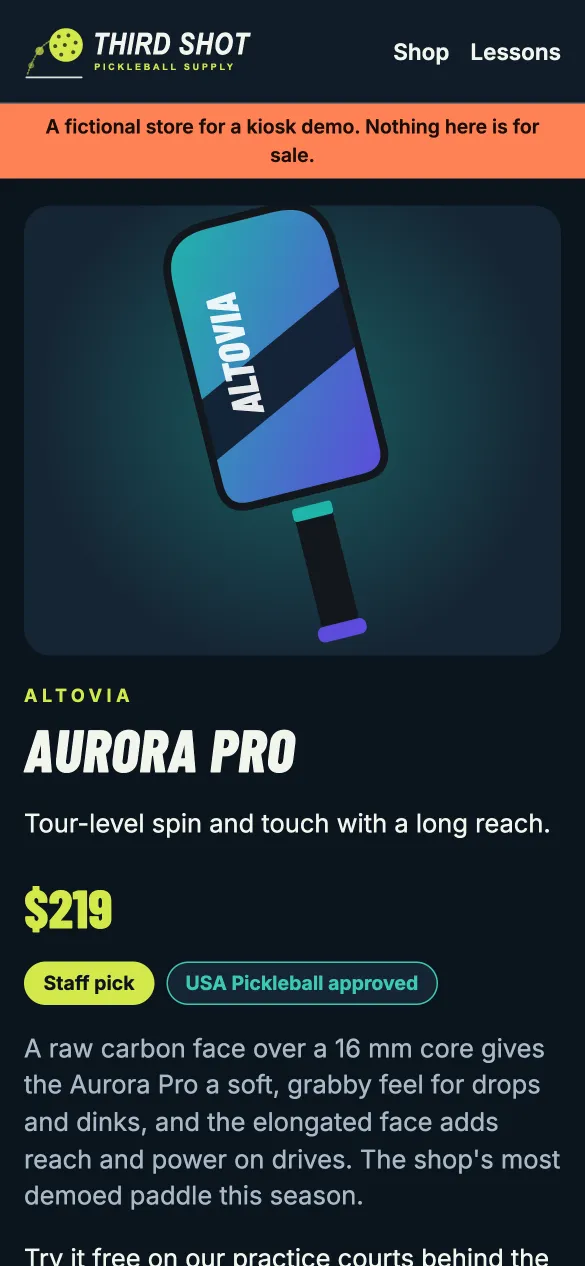
Take the product home
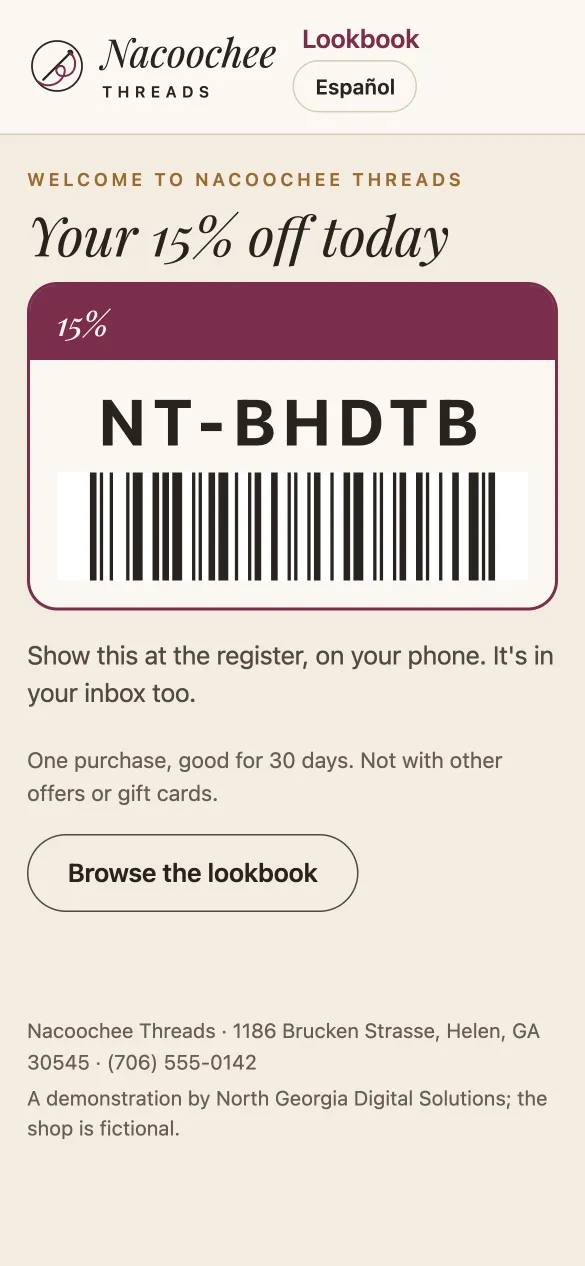
15% off code
Scan to continue
A half-filled reservation, a product, a class waiver, a visitor pass, directions to a suite, a discount code — the phone picks up exactly where the kiosk left off.
"Text me this"
Any product, menu, map or detail can be sent by text or email with one line of consent. The right consent wording is already there.
Live from the phone
A waitlist page that shows your place and refreshes. A waiver signed on the phone updates the kiosk live. Intake forms finished while you wait.
Visitor pass
An office check-in produces a pass on the phone with the suite, the host and the arrival time — and a drawn route to the door.
The kiosk faces your customers. Your team sees everything behind it.
Every reservation, check-in and sign-up lands on a live staff board and in your own view — records, messages, and all of it downloadable — the moment it happens.
Your view
iPad or phone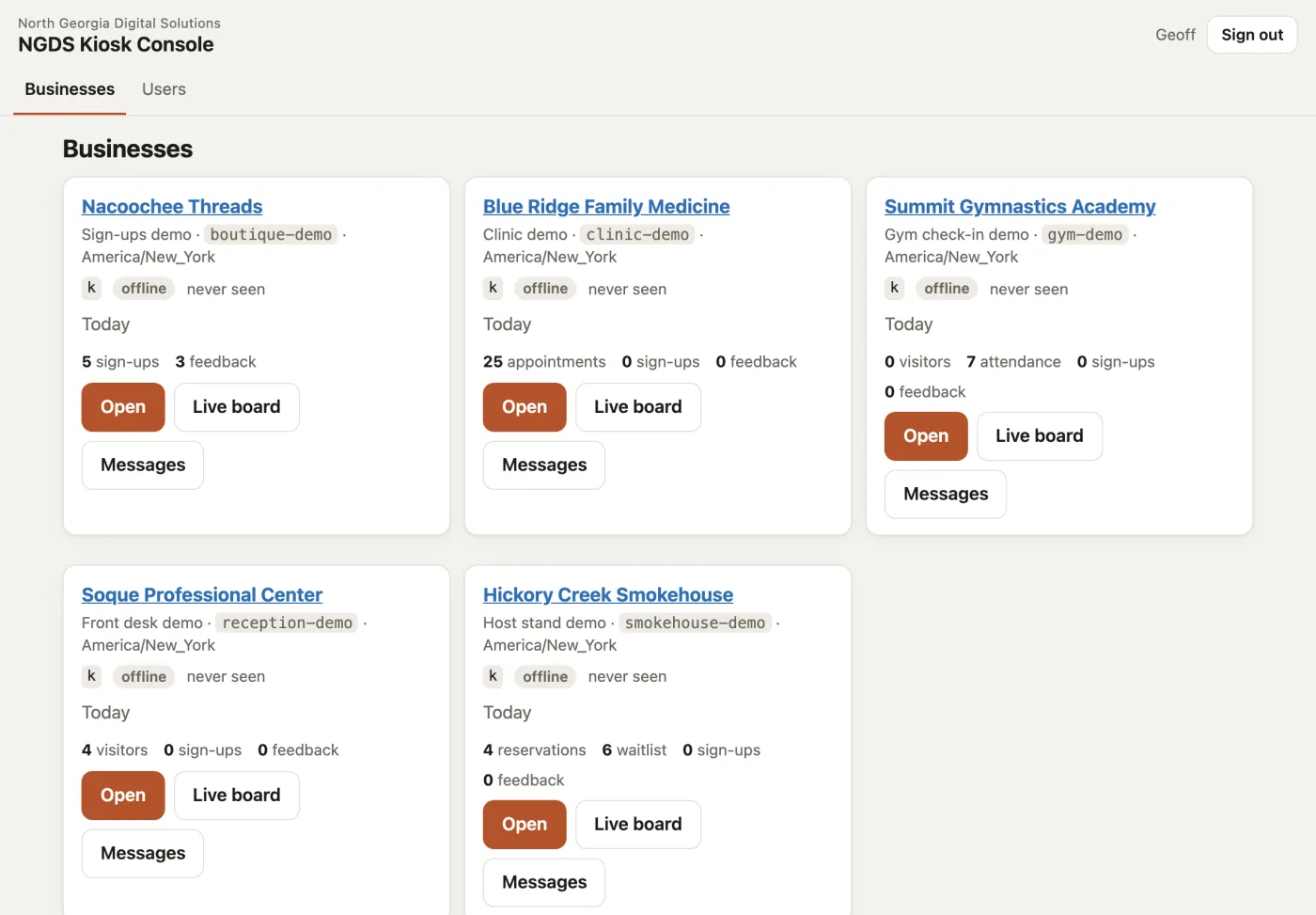
Each kiosk at a glance: connected or not, last seen, what it's showing, and today's counts. Invite your staff with a link; they only see your business.
Live staff boards
Any phone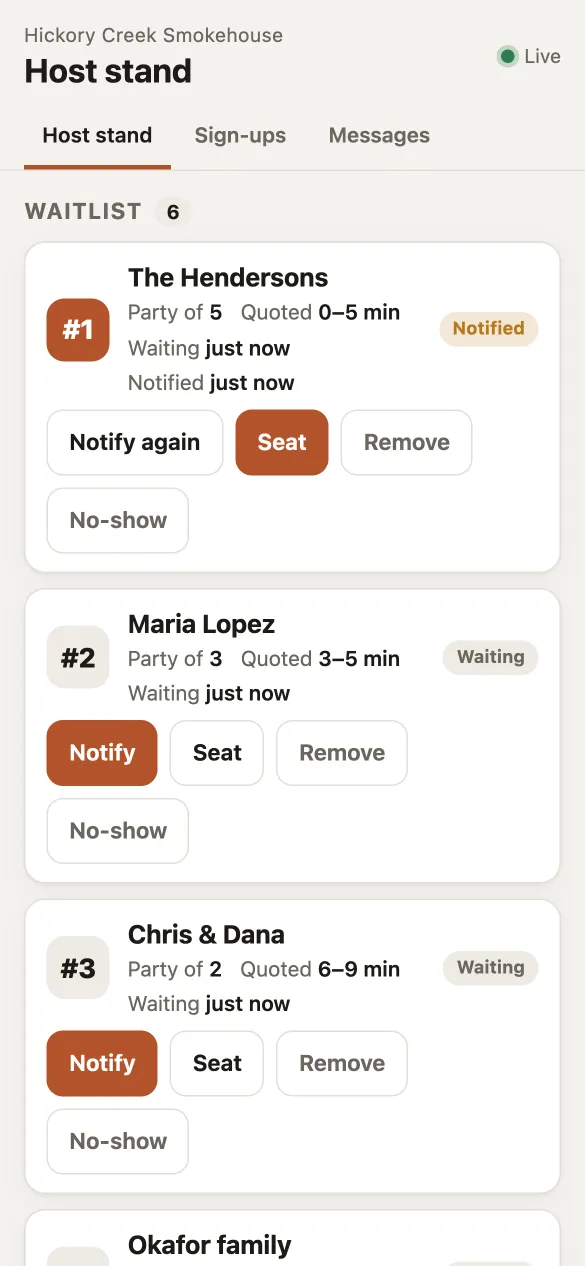
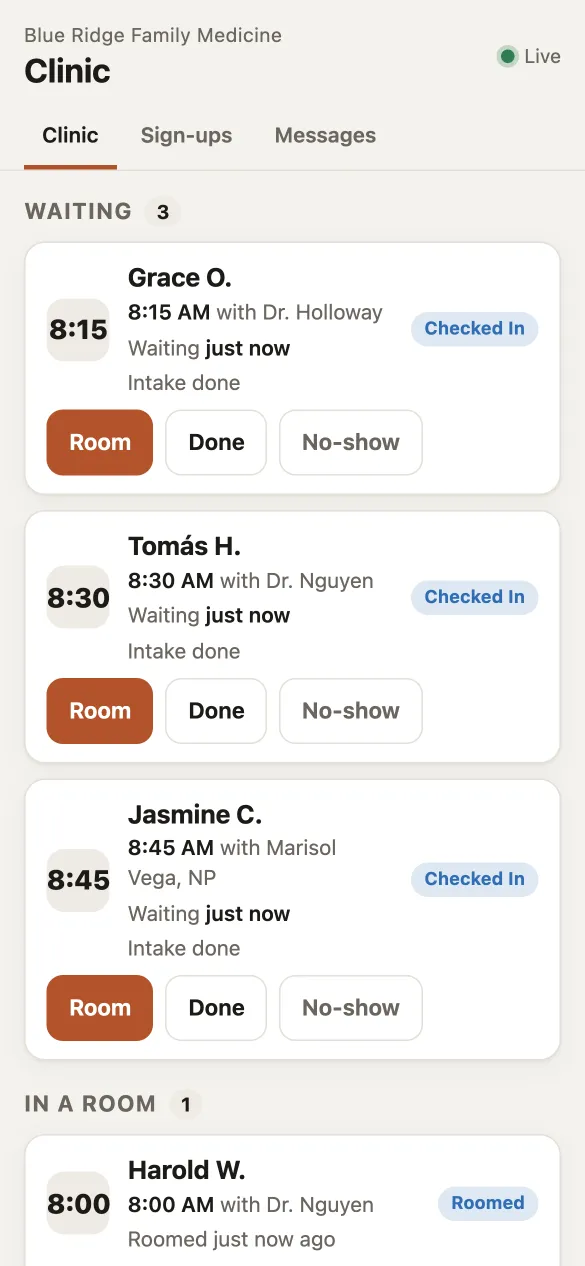
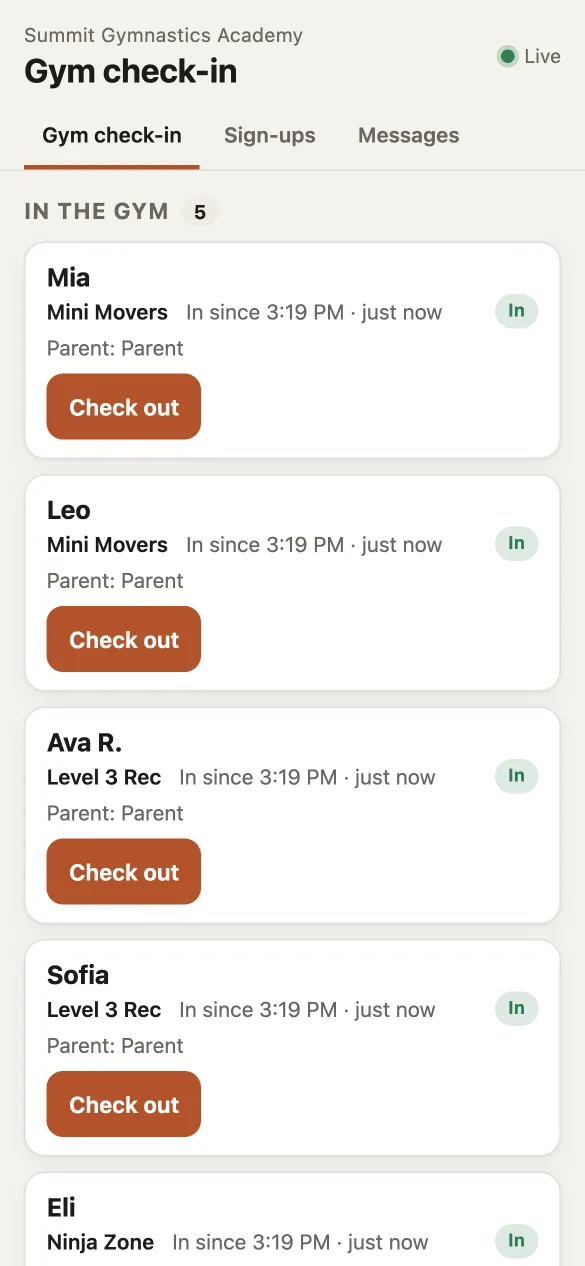
Host stand, front desk, clinic arrivals, gym check-in, sign-ups you can download, and the message log. Opened from a link on any phone — no app to install. Mark the brisket sold out and the kiosk shows it within seconds.
Notifications, any channel
Confirmations, reminders two hours out, "your table is ready", "your visitor is in the lobby" — by email or text, in the recipient's language, from templates you can edit. Email works out of the box; texting can be added and I'll set it up for you.
Records with rules
Reservations that respect your table count and hours, a waitlist with a live wait estimate, appointments with intake, attendance with waivers, sign-ups with one code per email per month. Every record editable, and you can download it all to a spreadsheet.
Private by default
Patients shown as "Alex M."; health answers go to the record only; screens clear 30 seconds after done; audio is never stored. Your staff get their own sign-in and see only your business.
Control it from the office
Switch what a kiosk is showing, pause it for an hour, or push a message to its screen. One kiosk can hold more than one experience, and when it sits idle it returns to your default on its own.
From North Georgia to wherever you are.
I'm based in Cornelia, Georgia, and I handle kiosks for businesses here and farther away. Either way, you deal with me — the person doing the work.
We can plan your kiosk by phone or video. If you're farther away, I'll work out the setup with you.
North Georgia communities: Habersham County, Hall County, White County, Stephens County, Lumpkin County.
Common questions.
What does a kiosk do at my counter?
It takes bookings, check-ins, waitlists, sign-ups and orders by voice or touch, in English or Spanish, and puts each one in front of your staff on a live board the moment it happens. Customers can also finish on their own phone.
Does it work with the calendar or booking tool my staff already use?
That’s the goal of every build. The Helen Permanent Jewelry kiosk books against the artist’s live calendar, and yours is connected to the tools you already run so nothing gets typed in twice.
Is every kiosk the same?
No. The nine examples on this page are just that, examples. Yours is built from scratch around your business, your branding and the jobs your counter actually has to do.
Can I see one before committing?
Yes. Local demos are available by appointment, and the demo unit runs on a battery, so it can come to you. If you’re outside North Georgia, we can start with a phone or video conversation. Hardware setup and on-site work depend on where you are and what the project needs.
Want one at your counter? Let's talk through the job.
Thirty minutes at your counter, no obligation. One call and I'll take it from there.